I still wanted a head-to-head comparison
The backdrop: a WMS system for a cross-border e-commerce overseas warehouse. It has an unfinished AI assistant feature — just a skeleton, currently hidden and not enabled.
Both sides received the exact same prompt:
The GWMS system also has an intelligent assistant that uses the operations manual as its RAG source. The GWMS docs have been improving and growing richer lately, so I want to see what state this AI assistant is in and improve/update it.Same starting point, but the process in between diverged noticeably.
DeepSeek Harness behaved more like an architect — it mapped out the overall picture right away and produced this conclusion:
My improvement plan (by priority)

1. Wire up automatic "gwms-doc → knowledge base" sync (the core, and what you're really asking for): add bulk-ingest so the 230 operations-manual markdown files are indexed natively (better suited to markdown than the current Tika PDF/Word parsing), and add a "doc change → rebuild index" hook in gwms-doc's CI/GitOps.

2. Fix the bugs above: rewrite reindex (store raw content / rebuild from content), fix the clearChat copy and serialization, fix the duplicate upload endpoint, fix Redis deletion in removeDocumentById, and complete the production langchain4j config.

3. Make settings/history actually work: wire model selection to the backend, read back session history, and make quick actions actually send the question.

4. Go live: flip the feature flag, set the production Gemini key, and verify end-to-end.
Claude Code CLI focused more on details:
One-line conclusion
The code is fully intact; the backend still compiles and deploys. Only the frontend UI entry is switched off by a compile-time flag. The feature is frozen at its 2025-08 Beta state, and after the flag was added in 2025-11 there has been no real change.

...

Suggestions

If you intend to retire it for good: at minimum, remove gwms-ai-assistant from gwms-modules/pom.xml and gwms-admin/pom.xml so the endpoints are no longer exposed, and rotate those two keys.

If you intend to revive it: the priority should be ① rotate keys + use environment variables → ② add @SaCheckPermission → ③ move the table-creation SQL into Liquibase → ④ complete the prod/test langchain4j config → ⑤ verify the RAG retrieval path → ⑥ and only then fill in those TODOs. On the frontend, changing one line in .env and rebuilding is enough to surface it.

Want me to turn this analysis into a shareable report page? Or start on one of these items (like the permission check or key rotation)?
Both were fresh sessions. I even ran /clear in Claude Code CLI beforehand. Claude didn’t mention gwms-doc at first, and didn’t notice that repo actually contains all the operations manuals — yet reviving this unfinished assistant clearly means starting from gwms-doc and doing the real work there.
After that, the two conversations could no longer be kept aligned, but in the end both got it running and delivered what I asked: one on port 80, the other on port 81; each dumped the dev database and rebuilt gwms_dsh and gwms_claude in local MySQL respectively; each set its own version numbers to avoid Maven conflicts and stepping on each other; and each ran its own Redis instance to isolate the Redis vector data.
The final results
Question one: how do you add a customer?
DeepSeek Harness’s answer:
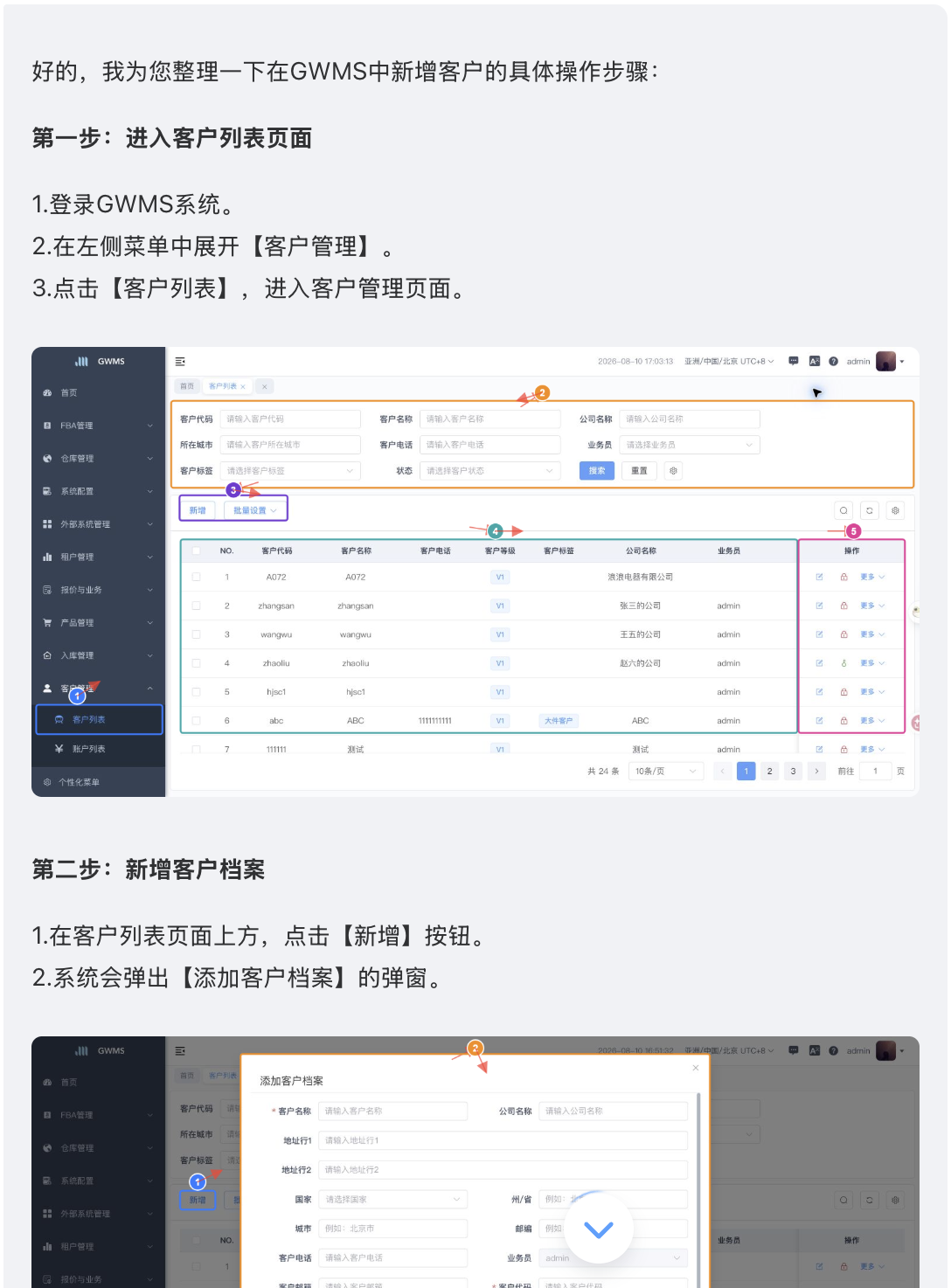
Claude Code’s answer:
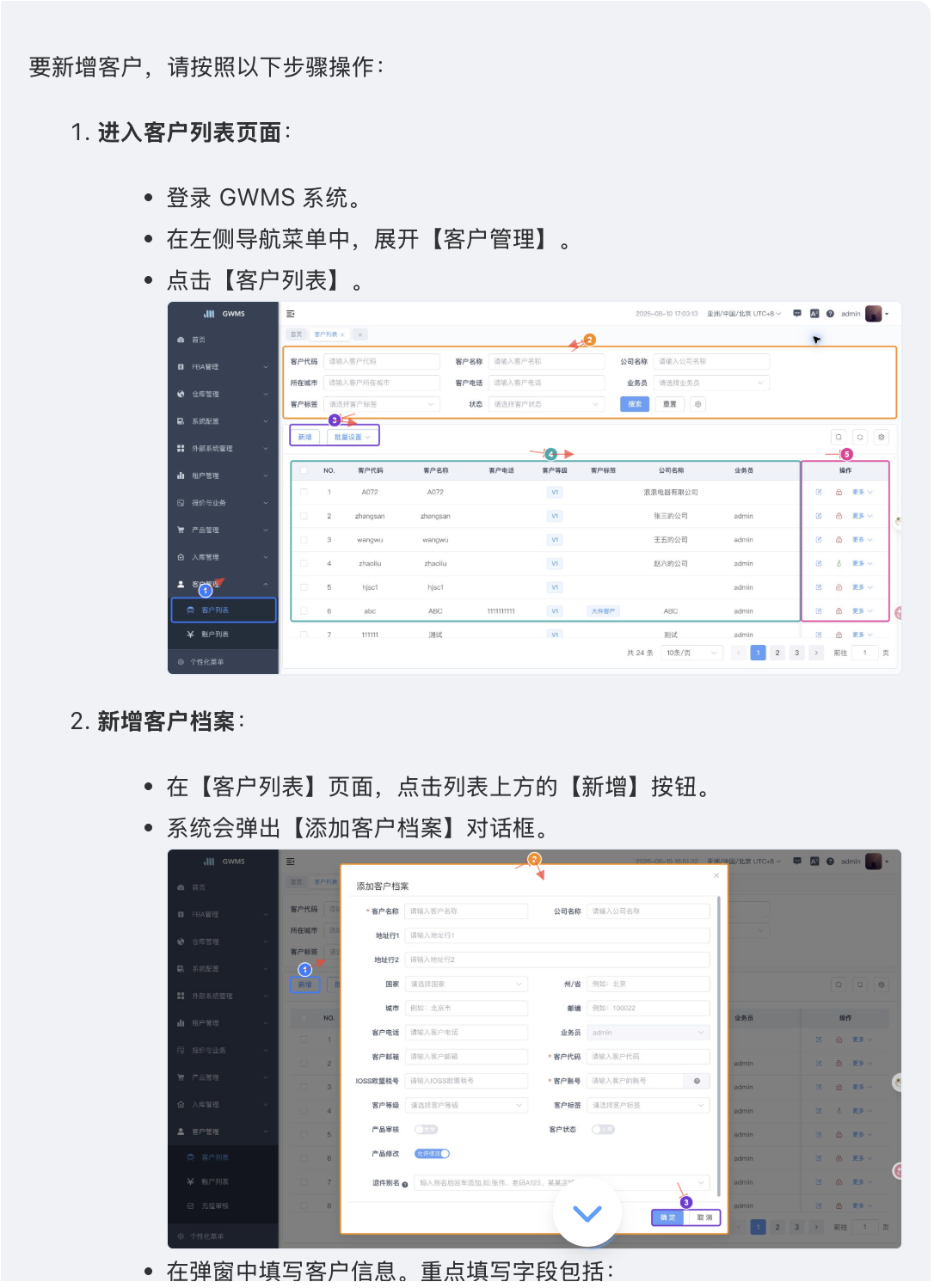
Question two: how is a new SKU reviewed?
DeepSeek Harness’s answer:
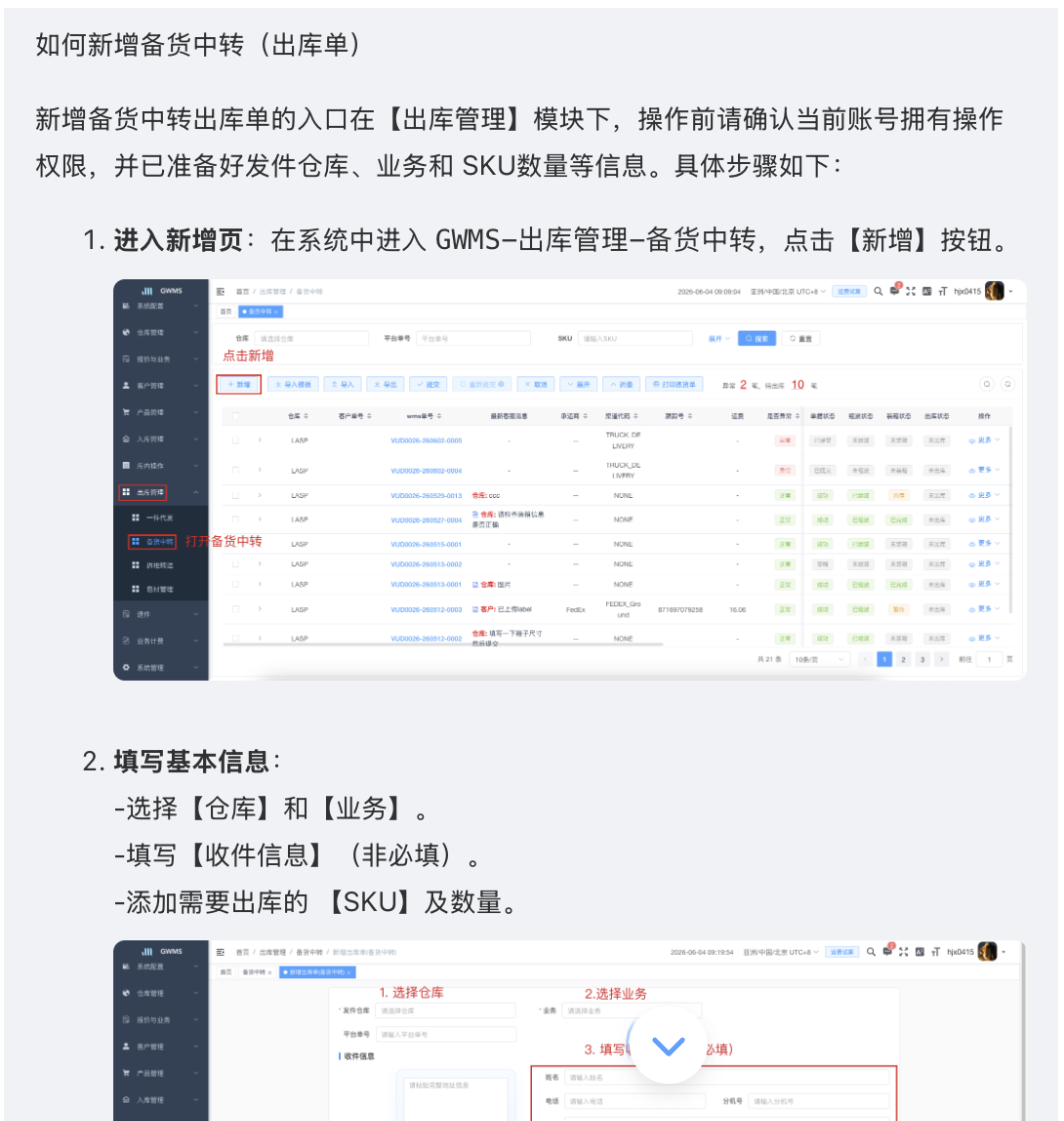
Claude Code’s answer:
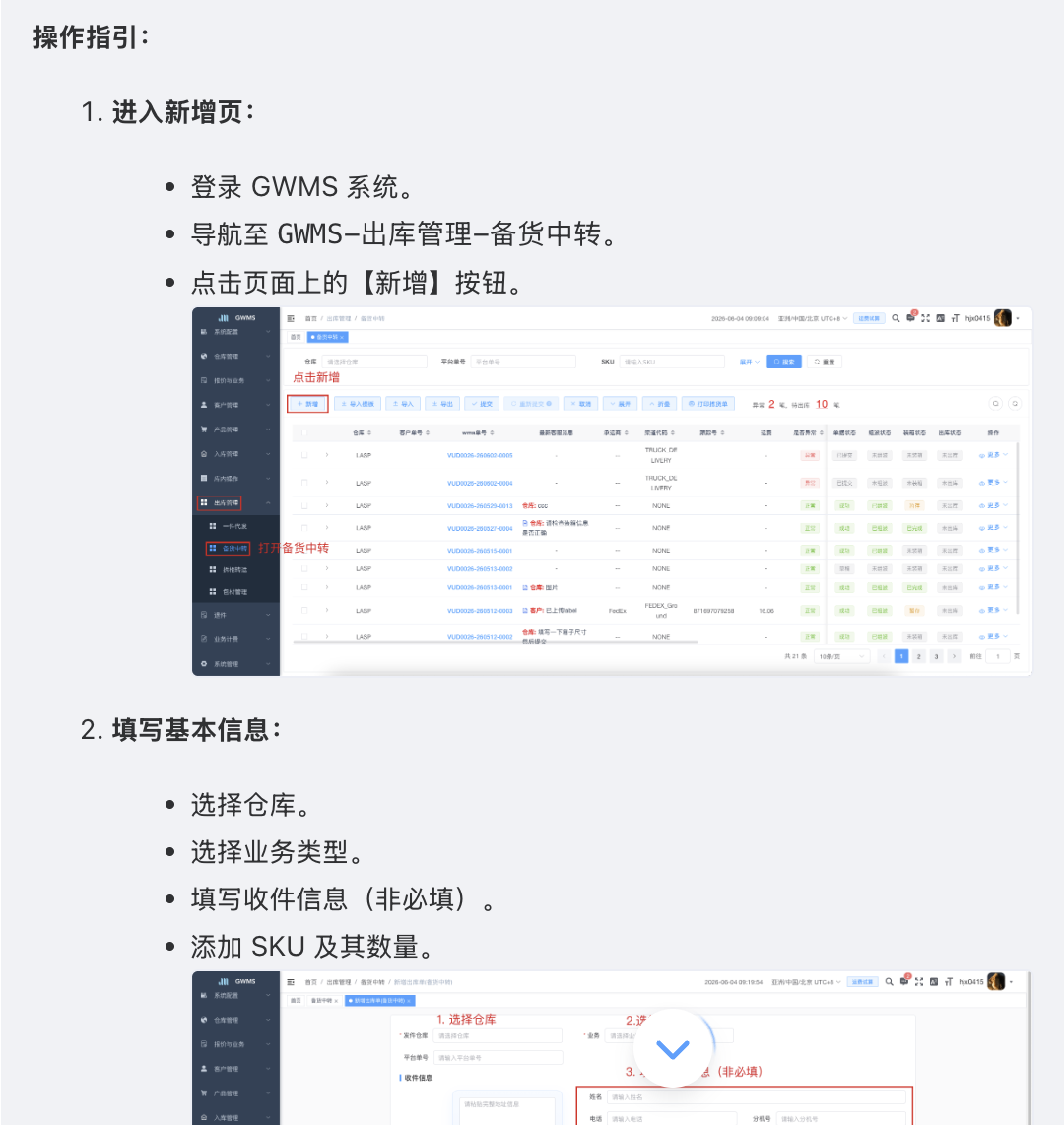
Not much difference, honestly
I asked DeepSeek Harness to switch the answering LLM to DeepSeek too, while the Claude Code build still uses Gemini. At least on these two simple questions, the two results are barely different.
But the process left a distinctly different impression. First, DeepSeek Harness got stuck once, and a restart couldn’t recover it; luckily I opened a new Session and told it “the previous Session is stuck”, and it was able to pick up and continue. Also, DeepSeek Harness’s Session had noticeably more steps and took longer — it felt like it explored left and right before finally settling on a direction.
Claude Code CLI went straight for the target. Once I pointed out that the gwms-doc repo existed, it quickly caught up to DeepSeek Harness’s understanding; a few turns later, Claude Code had already hit my stage goal while DeepSeek Harness was still busy — very busy.
Later I made a few more optimizations on the Claude Code CLI side. Once DeepSeek Harness finished, I handed it all of those optimizations in one go:
Some retrieved content contains screenshots — you may rephrase, but don't organize the screenshots away.
The accessible URL for a screenshot can be found at https://doc.gwms.jmalltech.com/; the assistant dialog can reference these addresses to display images.
The images are very large — don't show them at their original size; use 100% relative width.
Clicking an image should open it fullscreen; clicking again closes it.
DeepSeek Harness nailed it in one round. Then I asked questions and took screenshots. In a word: different paths, same destination.
Codex review
I handed both sides’ work to Codex as the judge:
/Users/jmai/gwms/
These two repos have the last two days of AI-assistant changes, done by Claude — 3 PRs committed, plus uncommitted local changes.

/Users/jmai/DeepSeekHarness/CTO
This directory also has the last two days of AI-assistant changes, all uncommitted.

Get both sides' change sets, compare them, and evaluate.
Codex’s valuable output:
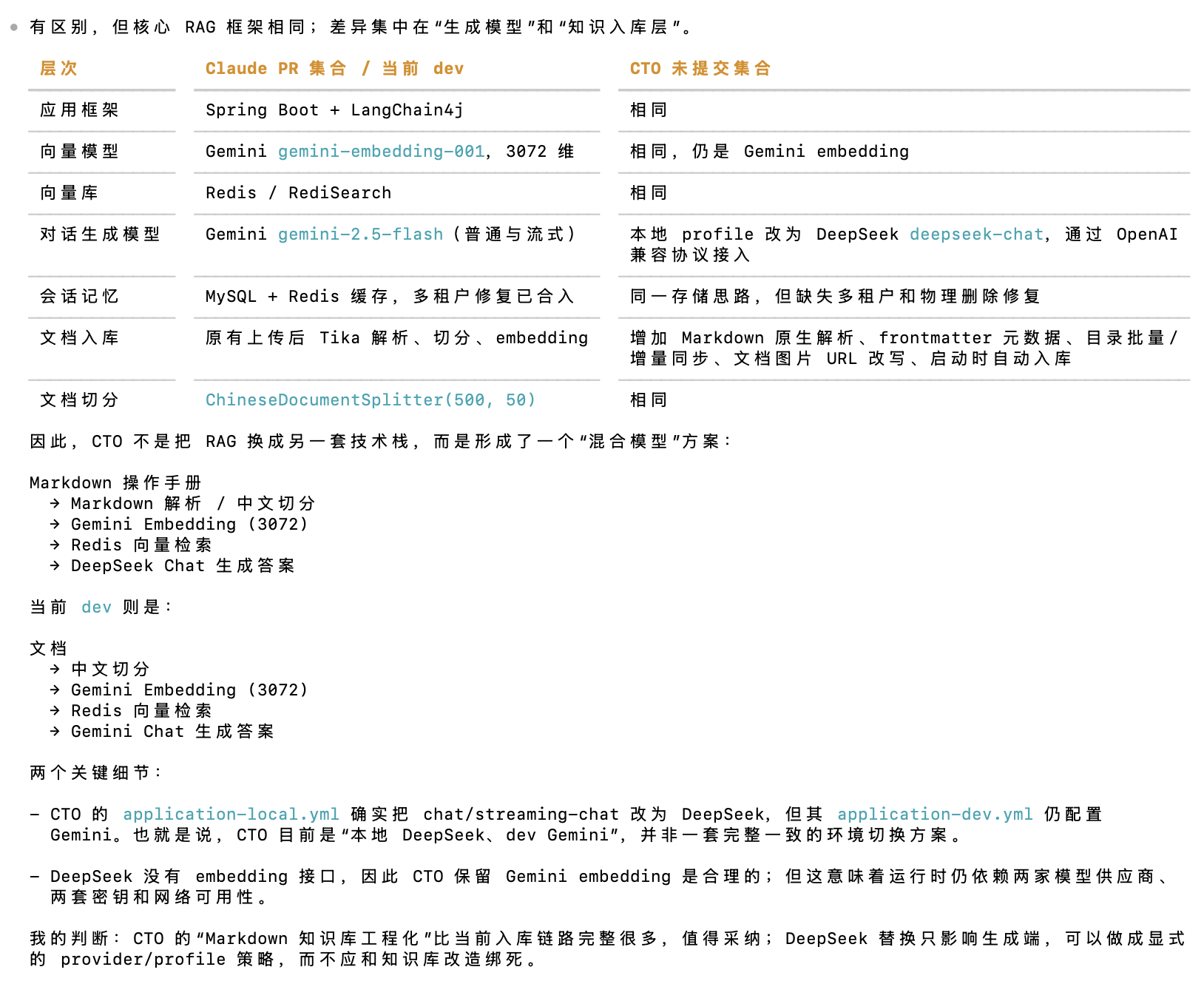
DeepSeek Harness wrote its own MarkdownDocumentParser
dev is the code branch in Claude Code’s workspace; CTO is DeepSeek Harness’s working directory.
Claude’s implementation parses knowledge-base documents with Tika. DeepSeek Harness wrote its own MarkdownDocumentParser:
- Reads
.mdfiles directly as UTF-8; PDFs, Word docs, etc. still go through Tika. - Parses and strips the YAML frontmatter so it never enters the text to be embedded.
- Extracts
title,description,category,role,keywords,related,updated, etc. into LangChain4j Metadata. - Preserves Markdown headings, lists, links, and image syntax, then continues with the existing ChineseDocumentSplitter, Gemini embedding, and Redis vector retrieval.
This is a bonus point, because the gwms-doc repo is built on VitePress.
---
title: '管理客户档案'
description: '指导仓库在客户列表中查询客户、新增客户、批量设置客户属性,并继续配置客户业务。'
category: '客户管理'
role: '仓库'
keywords: ['客户列表', '客户档案', '客户管理', '批量设置', '业务报价']
related: ['账户列表', '业务报价', '业务报价单']
created: '2026-04-13'
updated: '2026-08-07'
---
That block above is called frontmatter — VitePress’s “instruction manual” for how to interpret and render a Markdown file. But Tika treats this frontmatter as body text, which causes the mismatch where “the retrieval seems to hit a more relevant chunk, but the content doesn’t quite match”.
Take this line:
keywords: ['客户列表', '客户档案', '客户管理', '批量设置', '业务报价']If Tika treats it as body text and then splits by 500 characters, you might get:
- Chunk A:
title / description / category / role / keywords / related - Chunk B: the opening of the body — “客户列表用于维护客户档案……”
- Chunk C: the concrete steps for “新增客户”……
The main headaches:
- When a user asks “how to add a customer”, vector retrieval may hit Chunk A first, because it’s packed with keywords yet contains no actual steps.
- The frontmatter eats up chunk length and embedding tokens; each chunk holds less useful business content, and body headings and steps get cut off more easily.
role: 仓库,category: 客户管理should be filterable metadata, but they degrade into plain text whose meaning the model has to guess — so “only search warehouse-side docs” can’t be done reliably.- The context fed to the model may include YAML config, so it might echo
keywords:/related:verbatim, or mistake a related doc name for the current page’s steps. - Keywords add extra weight to embeddings: for example, a “客户列表” doc that also mentions “业务报价” might get wrongly recalled for “业务报价” questions.
DeepSeek’s native parsing gives the correct division of labor:
- Body → split & embed → answer for the model
- frontmatter → metadata → filtering, ranking, and retrieval assistance
So, who won?
Honestly, the fact that I can even ask this question means DeepSeek Harness has already won in my mind~~